
Gemini 4 Argon coding test: 3 prompts and 18 checks
Test Gemini 4 Argon with three JavaScript tasks, edge cases and a downloadable Node.js test kit. Keep first-pass results separate from fixes.
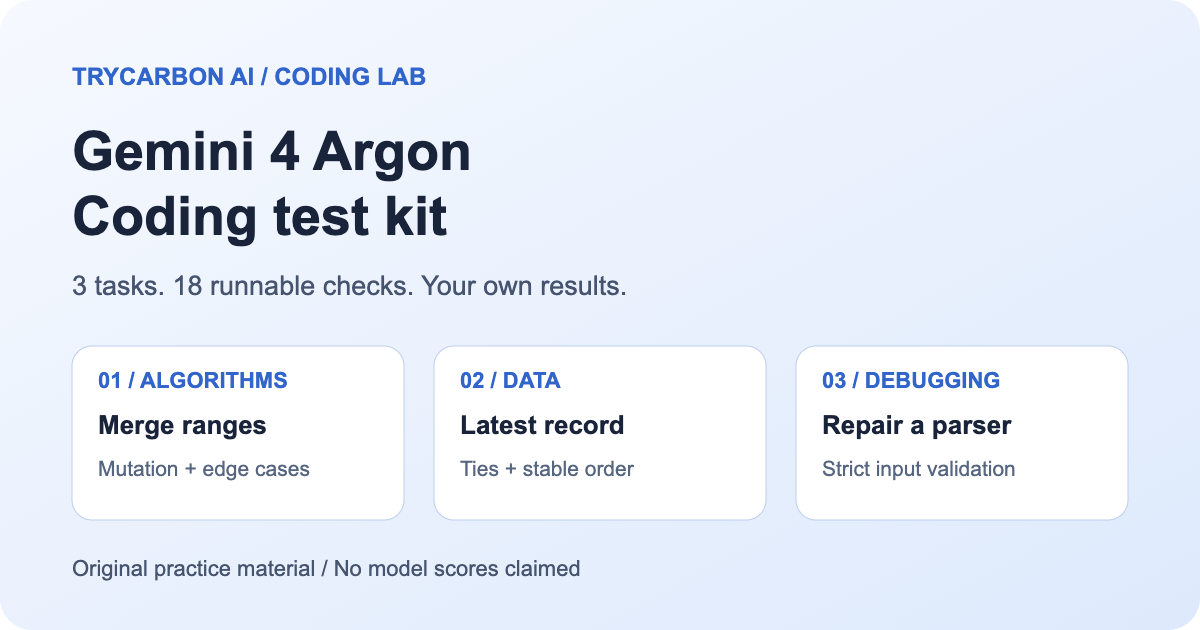
A useful Gemini 4 Argon coding test starts with a precise requirement and ends with code you can run. Below are three JavaScript tasks covering interval merging, record deduplication and bug fixing. Each has six executable tests, including cases that a plausible-looking answer can miss.
This is a test kit, not a report of Argon's scores. The prompts and checks are original TryCarbon AI materials. We validated the harness against reference implementations and deliberately faulty code; those checks do not measure Argon. You can use the same kit to record your own first attempt and repair results.
Download the coding test kit, then open Argon chat. The download is free; sending a chat request requires an account and purchased credits. See Pricing for current options.
What this test can tell you
Google describes Argon as a model for complex software engineering in its model documentation. That describes its intended use. Whether a particular answer satisfies your requirements still needs checking.
These small tasks test contract-following, edge cases and preservation of existing data. They do not test repository navigation, frontend design, large migrations or an autonomous agent's ability to use a terminal. Passing all 18 tests would be evidence about these inputs, not proof that a model can safely maintain your application.
TryCarbon's chat returns code as text. It does not execute the code or accept repository uploads. Run the checks yourself in a suitable development environment. For access and rollout differences between models, see Argon vs. Carbon; this kit makes no hands-on Carbon comparison.
Set up a repeatable run
Unzip the download into a new folder. It contains prompts.txt, a starter solution.mjs, coding.test.mjs, a blank scorecard.csv, instructions and an MIT license. Use Node.js 22 or later. You do not need to install packages.
Open a fresh conversation for each task. Select Argon in the model menu (new chats default to Carbon) and ask for no web search: these tasks use only the supplied information. Record the displayed model, date and any settings you change. Keep the first response before asking for a repair. For a fair comparison with another model, reuse the same prompt, test file and attempt limit.
Review generated code before running it. For unfamiliar code, use a disposable, isolated environment without credentials or private files. The Node test runner runs JavaScript; it is not a security sandbox. These prompts require pure functions with no network or filesystem access.
Test 1: merge overlapping ranges without changing the input
Calendar slots and numeric ranges often need merging. A solution can produce the right output while quietly sorting or modifying the caller's original array. This task checks both the answer and that side effect.
Write an ES module exporting mergeRanges(ranges).
Input: an array of [start, end] pairs of finite numbers, start <= end.
Return new pairs sorted by start. Merge overlapping or touching ranges.
Empty input returns []. Do not mutate the array or its nested pairs.
Throw TypeError for a non-array, malformed pair, non-finite number,
or start > end. Use no packages, filesystem, network or top-level
side effects. Return the complete function in one JavaScript code
block, followed by a short complexity explanation.
For input [[5, 8], [1, 3], [3, 5]], the required output is [[1, 8]]. Touching endpoints merge because the prompt says so. The checks also cover nested ranges, duplicates, negative and fractional values, and zero-length ranges. Frozen input arrays help expose mutation; the result must contain newly created pairs.
Watch for an in-place sort() on the input. It may pass the visible example and fail the frozen-input case. If the model claims linear complexity, inspect whether it sorts first: sorting arbitrary input is part of the work.
Test 2: keep the newest record for each ID
This resembles combining event snapshots. “Remove duplicates” alone leaves too much undecided: which record wins, and what order should the result use?
Write an ES module exporting latestById(records).
Each record has a string id, a non-negative safe-integer timestamp
and arbitrary other fields. Return one record per id: greatest
 timestamp wins; for a tie, the last occurrence wins. Preserve the
order in which each id first appeared. Empty input returns [].
Do not mutate the array or records. Returning original record
references is allowed. Inputs satisfy this contract; no extra
validation is required. Treat "__proto__" and "constructor" as
ordinary ids. Use no packages, filesystem, network or top-level
side effects. Return the complete function and explain ties.
If ID b appears before ID a, the result must keep that ID order even when a later b record replaces the earlier one. A newer timestamp wins over a later position; position only breaks equal-timestamp ties.
The tests include empty and numeric-looking IDs as well as special property names. This catches implementations that accidentally depend on ordinary object-property behavior. Check the whole record, not only its ID: the winning record's other fields must survive.
Work through a timestamp tie
Try this small input before treating a deduplication answer as complete. It is an original example of the contract, not a response generated by Argon:
const records = [
  { id: 'b', timestamp: 8, label: 'first b' },
  { id: 'a', timestamp: 10, label: 'new a' },
  { id: 'b', timestamp: 8, label: 'tie wins' },
  { id: 'a', timestamp: 7, label: 'later but older' },
];
// Expected:
// [
//   { id: 'b', timestamp: 8, label: 'tie wins' },
//   { id: 'a', timestamp: 10, label: 'new a' },
// ]
There are three separate decisions. The IDs stay in b, then a order because that is their order of first appearance. The later b replaces the first one because their timestamps tie. The final a does not replace the earlier a, because timestamp 7 is older than 10 even though it appears later in the array.
A “keep the last record” shortcut fails the a case. A “replace only for a strictly greater timestamp” shortcut fails the b tie. Sorting the chosen records by timestamp changes the specified output order. Check the label as well as the ID so a partial assertion cannot hide the wrong winner.
After inserting the candidate function, you can run this extra example locally without changing the downloaded 18-check scorecard:
import assert from 'node:assert/strict';

import { latestById } from './solution.mjs';

// Put the records array above here.
const chosen = latestById(records);
assert.deepEqual(
  chosen.map(({ id, label }) => [id, label]),
  [
    ['b', 'tie wins'],
    ['a', 'new a'],
  ]
);
Save that as a separate .mjs file alongside solution.mjs and run it with Node. Keep its result separate from the six records: tests. This extra illustration does not change the published task count, demonstrate model performance or require another paid chat request.
Test 3: repair a duration parser
This task supplies defective code. The challenge is to repair its contract, rather than merely explain why it looks suspicious.
Fix and export parseDuration(text) from an ES module.
Accept exactly five ASCII characters in HH:MM format: hours 00–23,
minutes 00–59. Return total minutes. Return null for all other input,
including non-strings, whitespace, one-digit hours, trailing text
and a trailing newline. No packages, filesystem, network or top-level
side effects. Return the full replacement function and explain the bugs.

function parseDuration(text) {
  const [hours, minutes] = text.split(":").map(Number);
  return hours * 60 + minutes;
}
The required result for 09:05 is 545, while 9:05, 24:00 and 09:05 followed by a newline must return null. A non-string such as null must not crash the function. This is a duration-format exercise with a stated 23-hour ceiling, not a timezone or calendar parser.
The supplied buggy function accepts values outside the contract and throws for some non-strings. Those are known defects in our fixture, not observed Argon mistakes. A repair should preserve valid inputs while rejecting every listed invalid form.
Why a trailing newline needs its own test
This task requires the original input to contain exactly five characters. Calling trim() first changes that contract: it can turn an invalid "09:05\n" into a valid-looking "09:05". Preserve the input until you have checked its type and length.
JavaScript’s multiline flag is another distinction worth testing. Try these expressions in Node.js:
const withNewline = '09:05\n';
console.log(/^\d{2}:\d{2}$/.test(withNewline)); // false
console.log(/^\d{2}:\d{2}$/m.test(withNewline)); // true
The m flag lets the boundary assertions match line boundaries. The MDN boundary-assertion reference explains that difference. A format check for this whole-string task should not silently become a line search. Shape validation also does not establish the allowed hour and minute ranges: 24:00 must still fail.
Keep 09:05, a trailing-newline version, 24:00 and a non-string in the same review. A correction that rejects every input has not solved the valid case, while trimming first hides the newline defect. These are independently checked JavaScript examples about the test contract, not outputs or scores from Argon. Keep the kit’s original assertions when comparing a first response with a repair.
Run the checks and preserve the first attempt
Replace the matching function in solution.mjs with the model's code, retaining all three named exports. Save only JavaScript, without Markdown fences or explanatory prose. To run one task while the others are still placeholders:
node --test --test-name-pattern="ranges:" coding.test.mjs
Use records: or duration: for the other tasks. Once all three functions are present, run:
node --test coding.test.mjs
Node's test-runner documentation explains the output and name filter. A full successful run has 18 passing tests and no failures. The untouched starter intentionally fails all 18; it does not contain a model answer.
Record each task's first-pass count out of six in the scorecard. A test containing several invalid inputs counts as one test, so do not present this as an exhaustive input count. Keep the terminal output and original response alongside the scorecard. Note syntax errors separately from wrong results. If code does not terminate, stop the process and record that outcome rather than dropping the attempt.
Turn a failure into a useful follow-up
Paste the failing test name, input, expected value and actual result into the same conversation:
The first version failed this case:
Input: [paste input]
Expected: [paste expected result]
Actual: [paste result or error]
Explain the cause and return the smallest complete correction.
Preserve the original contract and do not change the tests.
Rerun all six tests for that task after the fix. Keep repair attempts in a separate column; a repaired answer should not overwrite a failed first attempt. Each follow-up is another chat request and can use credits.
For a model comparison, repeat the same protocol and report the task results, settings and number of repairs. Avoid declaring a universal winner from three short functions. For real application work, add tests from your own requirements, review dependencies and check behavior in the target environment.
Start with the range-merging prompt in Argon chat. The first-chat guide explains account setup; the saved-chat guide shows how to keep and export the conversation so you can compare the original code with later fixes.